Ship game-ready assets
in Blender

Automate the tedious. Focus on the creative. Six add-ons covering mirroring, pivots, UVs, LODs, collisions, and validation — one pipeline, engine-ready output.

2 tools free Blender 4.0+ One-time purchase Win / Mac / Linux

Mirror Forge — live simulation LIVE
press X Y Z · drag to orbit

Every tool below has a live simulation like this one — scroll and play.

0
hours saved per project
0
tools, one pipeline
0 free
Mirror Forge + Pivot Forge
0-day
refunds, no questions

Why every game artist hates asset prep

The modeling is the fun part. Then comes the tax you pay on every single asset before the engine will take it.

Mirrored geometry, broken normalsDuplicate, scale by −1, and now the shading is inside-out and the exporter is angry.
LOD chains by handDuplicate, rename, decimate, check counts — times five levels, times every asset.
Collisions one by oneUCX_ naming, convex pieces, engine conventions. A full day on a big kit.
UV maps out of syncUVMap here, UVMap.001 there — and your lightmap bakes to the wrong channel.
Pivots in the wrong place3D cursor gymnastics for every modular piece that needs a bottom-center origin.
Silent export failuresOne missing LOD level or misnamed object, and the import breaks without telling you why.

Run the pipeline

Every stage has a live simulation — swipe each one for real screenshots and clips. The tracker at the bottom follows your asset from raw mesh to engine-ready.
▼ Scroll to take an asset through all 6 stages
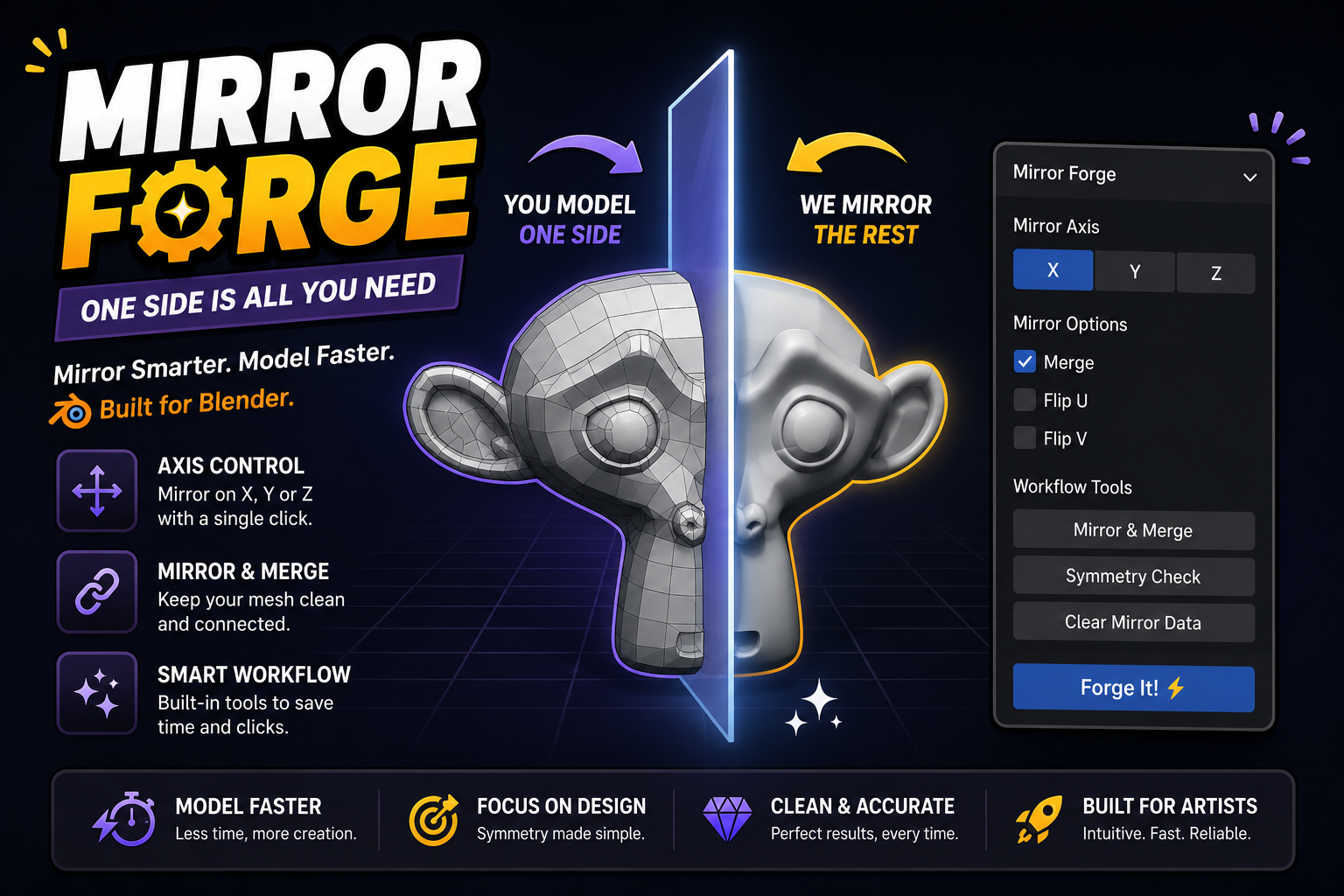
STAGE 01 / MIRROR✓ cleared

Mirror ForgeFREE

Interactive multi-axis mirroring with a live animated preview — and the reflection is baked clean into the mesh. No negative scale. Ever.

  • X/Y/Z + multi-axis mirroring with live preview
  • Automatic normal & scale correction
  • Smart _L → _R renaming
  • 4 pivot modes, instance toggle, in-tool undo
STAGE 02 / PIVOT✓ cleared

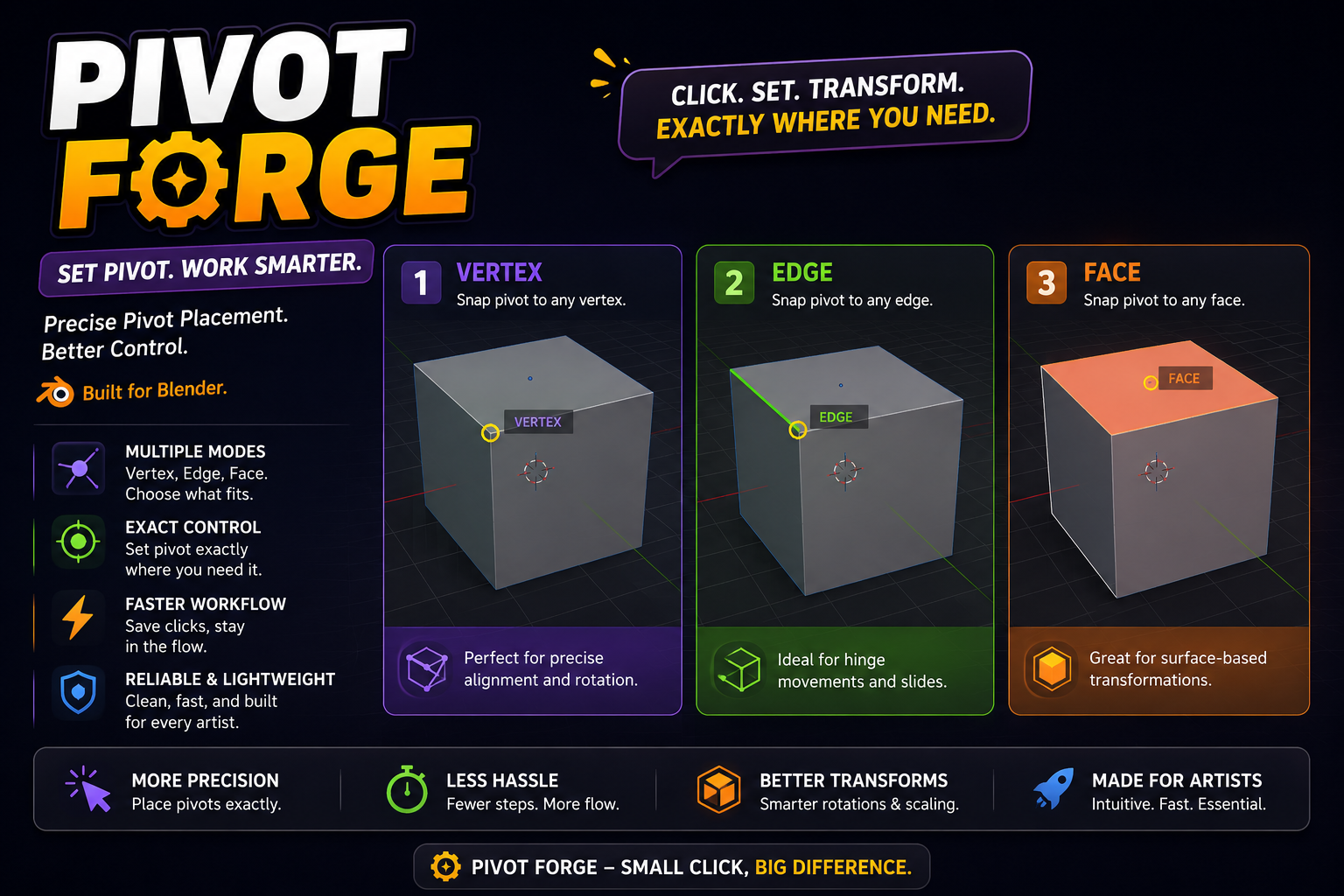
Pivot ForgeFREE

Press one key, click your mesh — the pivot snaps there. Batch bottom-center pivots for a whole kit in one click.

  • Vertex / edge / face-center snapping
  • Batch: bottom-center & cursor pivots
  • Bounding-box and mass centering
  • Edit Mode: pivot from selection
STAGE 03 / UV✓ cleared

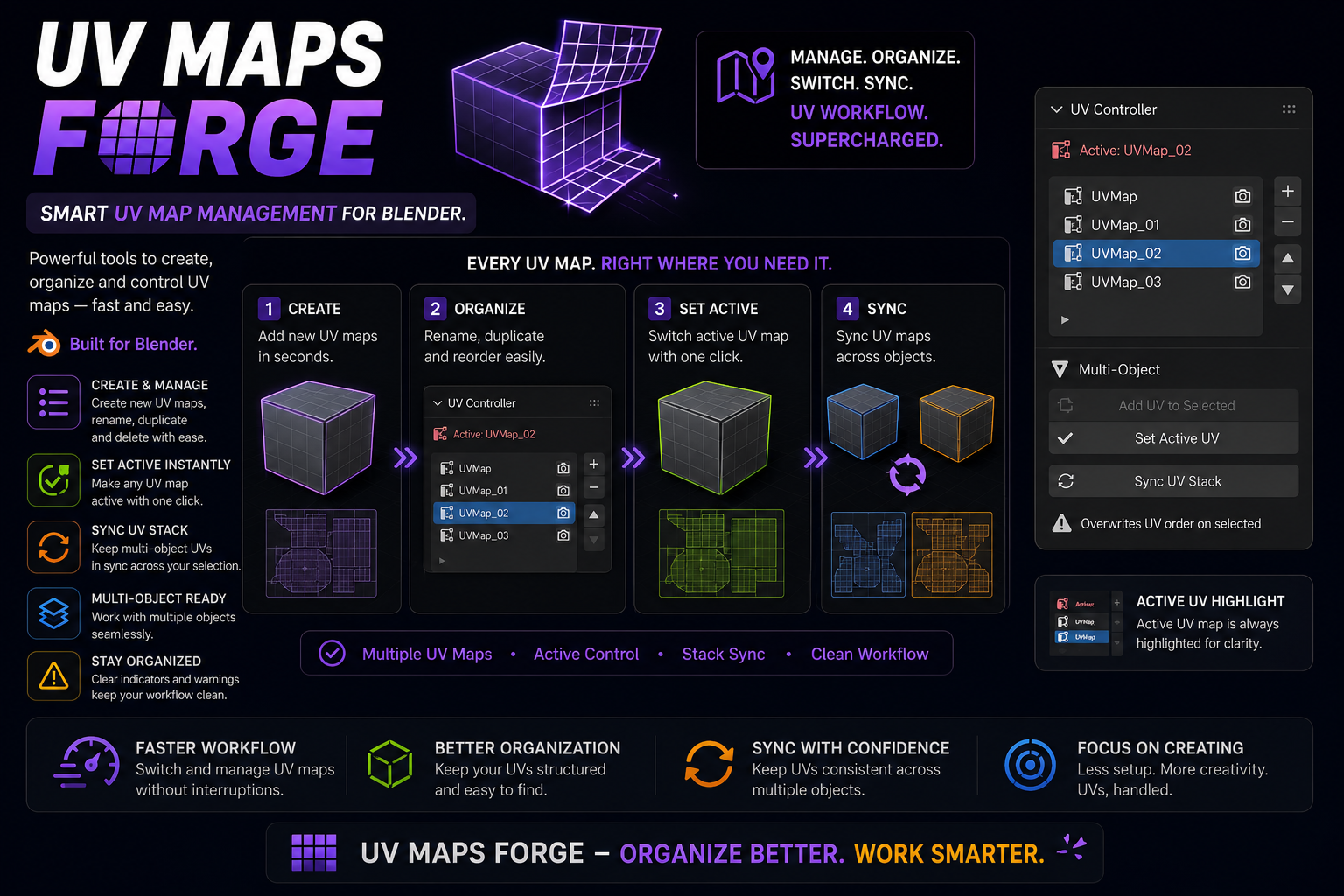
UV Maps Forge

Lightmaps, atlases, bake channels — managed across your entire selection at once, without the UVMap.001 drift.

  • Set active & render UV on the whole selection
  • Sync full UV stacks between objects
  • Reorder UV maps (Blender can't natively)
  • Prominent active-UV indicator
STAGE 04 / LOD✓ cleared

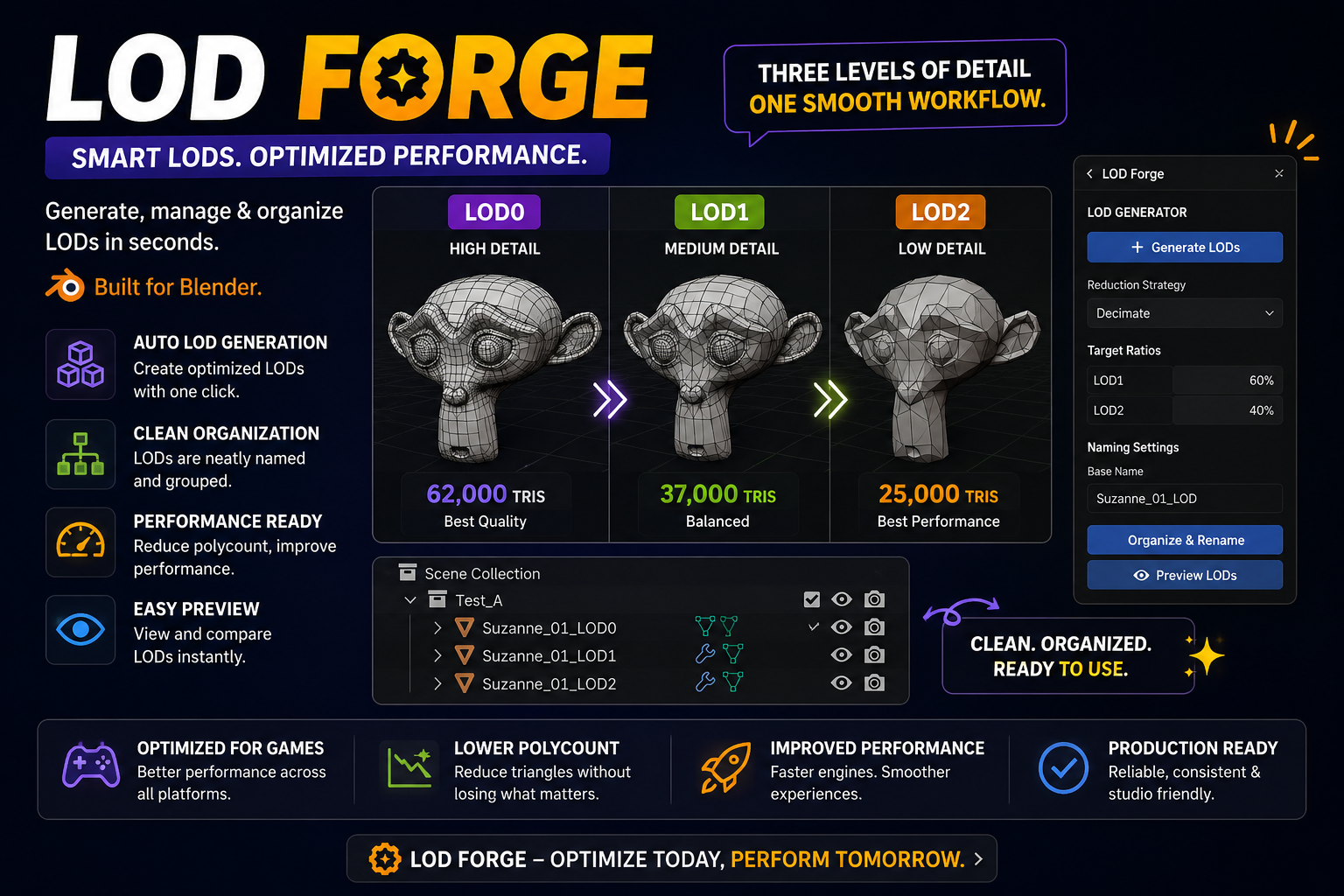
LOD Forge

LOD0–LOD6 in one click, with engine-ready names, real triangle counts, and your originals safely backed up.

  • Auto or manual decimation ratios
  • Non-destructive Decimate modifiers
  • Tri-count summary with reduction %
  • Batch mode + _LODn naming
STAGE 05 / COLLISION✓ cleared

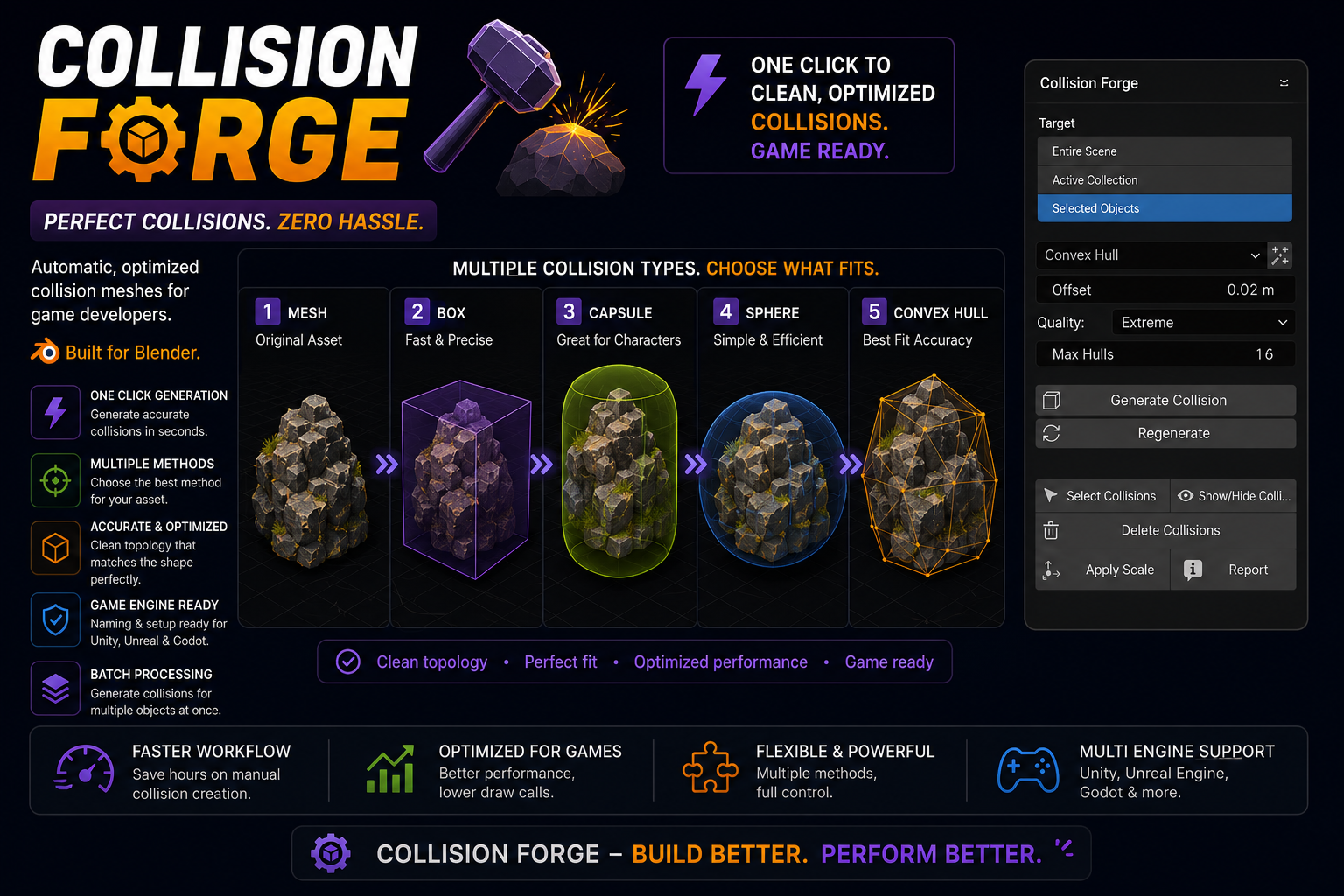
Collision Forge

Box, sphere, capsule, convex, and mesh collisions — named the way Unreal wants them, generated for the whole selection.

  • UBX_ / USP_ / UCP_ / UCX_ naming, automatic
  • V-HACD multi-hull convex decomposition
  • Live sliders re-tune after generating
  • Scene-wide select / hide / delete
STAGE 06 / VALIDATE✓ cleared

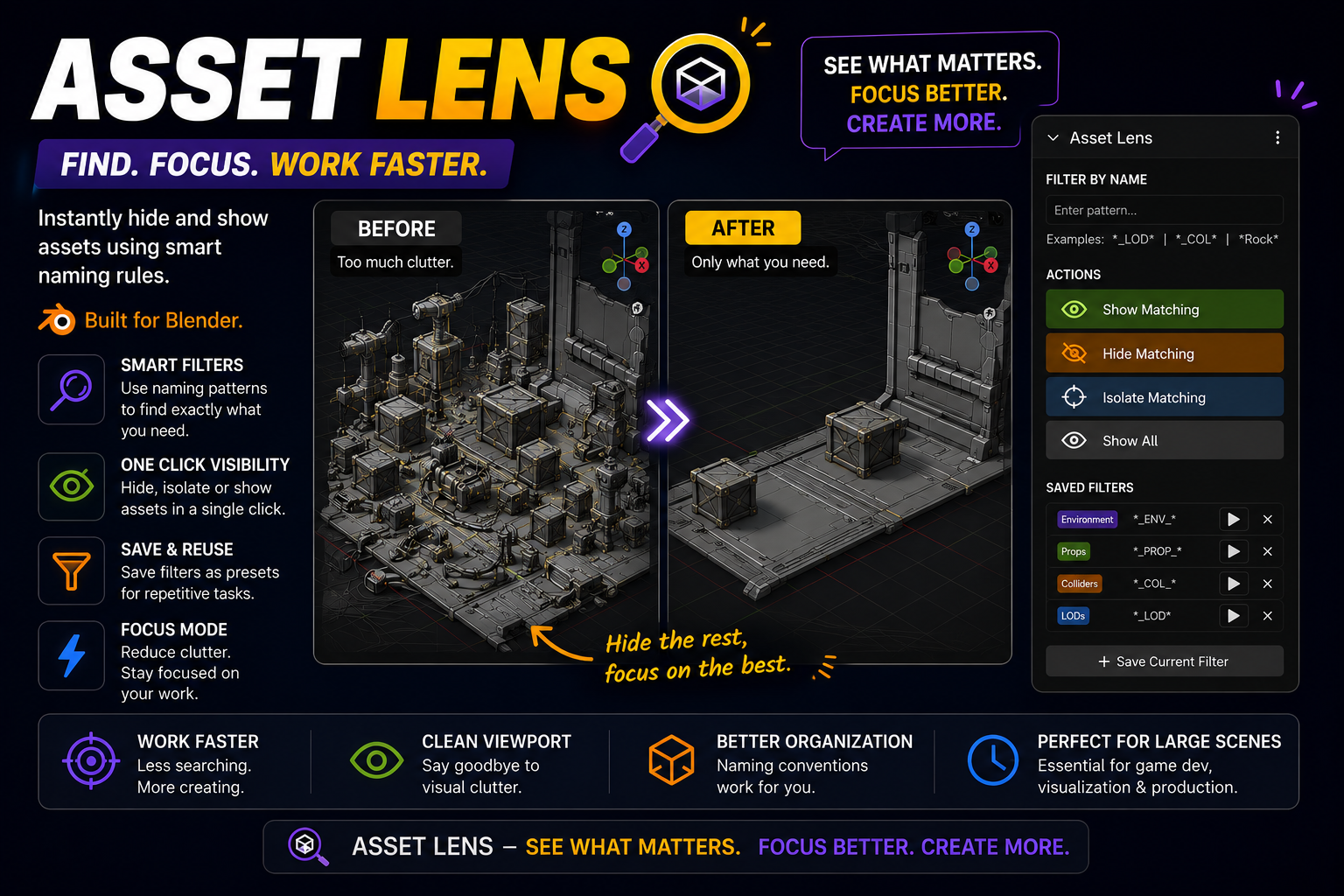
Asset Lens

The QA pass before export: solo LOD levels, catch broken chains and typo'd names, bulk-select anything by rule.

  • Detect, hide, and solo LOD levels
  • Flags invalid names & missing LOD levels
  • Stackable name filters + bulk actions
  • Scene stats: LOD & collision counts

The math on your time

Typical per-asset numbers. Multiply by every asset in your project.

TaskBlender nativeWith the toolkit
Mirror an object + fix normals & naming~5 min~30 sec
Generate a 3-level LOD chain, named & counted~15 min~2 min
Collisions for a 20-piece modular kit~1 hour+~3 min
Bottom-center pivots on 30 kit pieces~30 min1 click
Sync a lightmap UV channel across a set~20 min1 click
Validate LOD chains before exportmanual eyeballingautomatic

New tools ship regularly. Get them first.

Early access to new tools, update announcements, and workflow tips — straight from the workbench. No spam, unsubscribe anytime.

Powered by Gumroad — you'll get a one-click confirmation email.

Simple pricing

One-time purchase. Free updates. Unlimited personal & commercial projects.

The Forge Freebies

Free
2 full tools — not demos
  • Mirror Forge — multi-axis mirroring with normal fix
  • Pivot Forge — click-to-place pivots with snapping
  • Free updates, commercial use included

🛡️ 30-day refund policy on Gumroad — no questions asked.

Questions, answered

Everything artists usually ask before buying.

Which Blender versions are supported?
Blender 4.0 and newer for five of the six tools. Collision Forge requires Blender 4.2+. Everything is tested on current stable releases.
What exactly is free?
Mirror Forge and Pivot Forge are completely free — full versions, free updates, commercial use, no strings. The Pro Bundle adds the other four tools (UV Maps Forge, LOD Forge, Collision Forge, Asset Lens).
Can I use these on commercial projects?
Yes — anything you make with the tools is 100% yours, commercial or personal, no attribution needed.
Do I need technical knowledge?
No. Everything lives in the 3D Viewport sidebar (press N) with regular buttons and on-screen hints. If you can use Blender, you can use these.
Does it work on Mac and Linux?
Yes — everywhere. Collision Forge's multi-hull V-HACD decomposition now ships with native binaries for Windows, macOS, and Linux (macOS is unsigned, so Gatekeeper may prompt on first run — allow it once and you're set; the tool falls back to single convex hulls automatically if you'd rather not). Every other feature works on every platform.
Which game engines do the conventions target?
Naming follows Unreal Engine conventions (_LOD0 chains, UCX_/UBX_/USP_/UCP_ collision prefixes), which UE picks up automatically on import. The tools themselves are engine-agnostic — LODs, pivots, UVs, and collisions are just as useful for Unity and Godot workflows.
What's your update policy?
One-time purchase includes ongoing bug fixes and feature updates. Re-download the latest version anytime from your purchase page.
Is there a subscription?
No subscription required — the bundle is a one-time purchase with updates included. An optional support tier may come later, but it will never gate the tools you bought.
What if it doesn't fit my workflow?
There's a 30-day refund policy on every paid tool — no questions asked. Try the free Forge tools first if you want a feel for the quality before buying the bundle.

Stop paying the asset-prep tax

Get the full pipeline for less than one hour of freelance billing — or start with the two free Forge tools.

Pipeline
0.0 hrs
saved / project
🏆 ASSET: ENGINE-READY — claim your time back